Everything a flip needs between the offer and the closing table

These are real screens with sample numbers in them. Every plan tag below tells you exactly what it costs.

Portfolio

See which deal is in trouble before somebody calls you about it

Five stages from Analyzing to Closed. Every card carries its own expected profit and a health flag, so a deal that has slipped behind schedule or has a draw waiting on you says so on the board — you don't have to open it to find out.

  • Expected profit per deal, calculated from the same engine everywhere else in the app
  • Health flags — days behind schedule, draws waiting for review, loan maturity approaching
  • Action Center that collects what needs you across every deal
  • Drag a deal between stages and the date is recorded for you
Included on Free
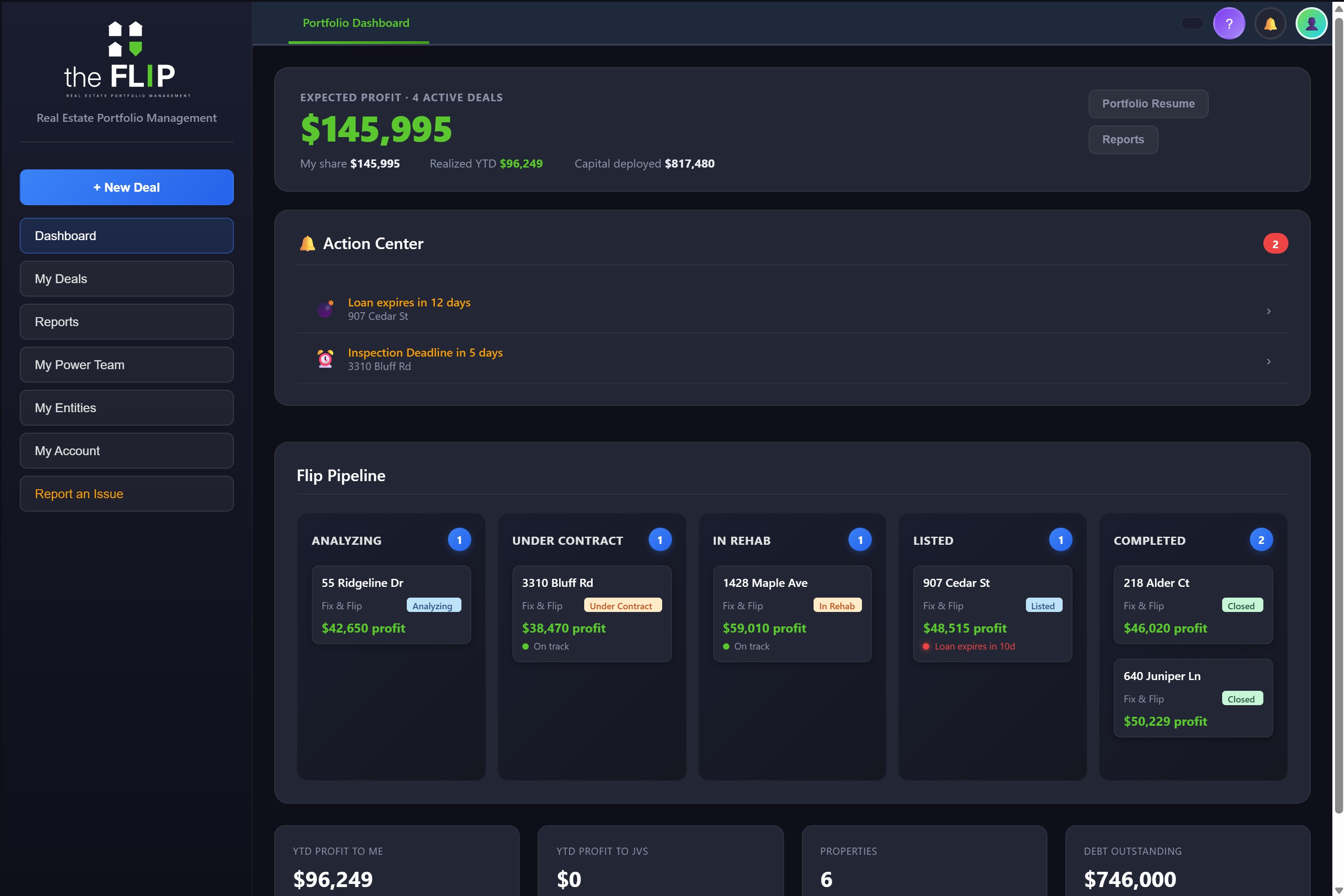
Portfolio dashboard with expected profit, an action center of pending contractor draws, and a five-column deal pipeline.
Before you buy

Know what the house is worth to you before you write the offer

The 70% and 75% rules against your own buy price, max allowable offer, and net profit after financing, holding, and selling costs. Change the ARV or the rehab number and everything moves with it — and you can hold two versions side by side instead of overwriting the one you liked.

  • 70% / 75% rule next to your actual buy price
  • What-if scenarios side by side, so a second opinion doesn't destroy the first
  • AI comp analysis scores sold comps and proposes an ARV — you accept it or override it, and your number is the one every other screen uses
  • Whatever you decide flows straight into the deal, no re-entry
Analysis on Free · AI comps on Pro
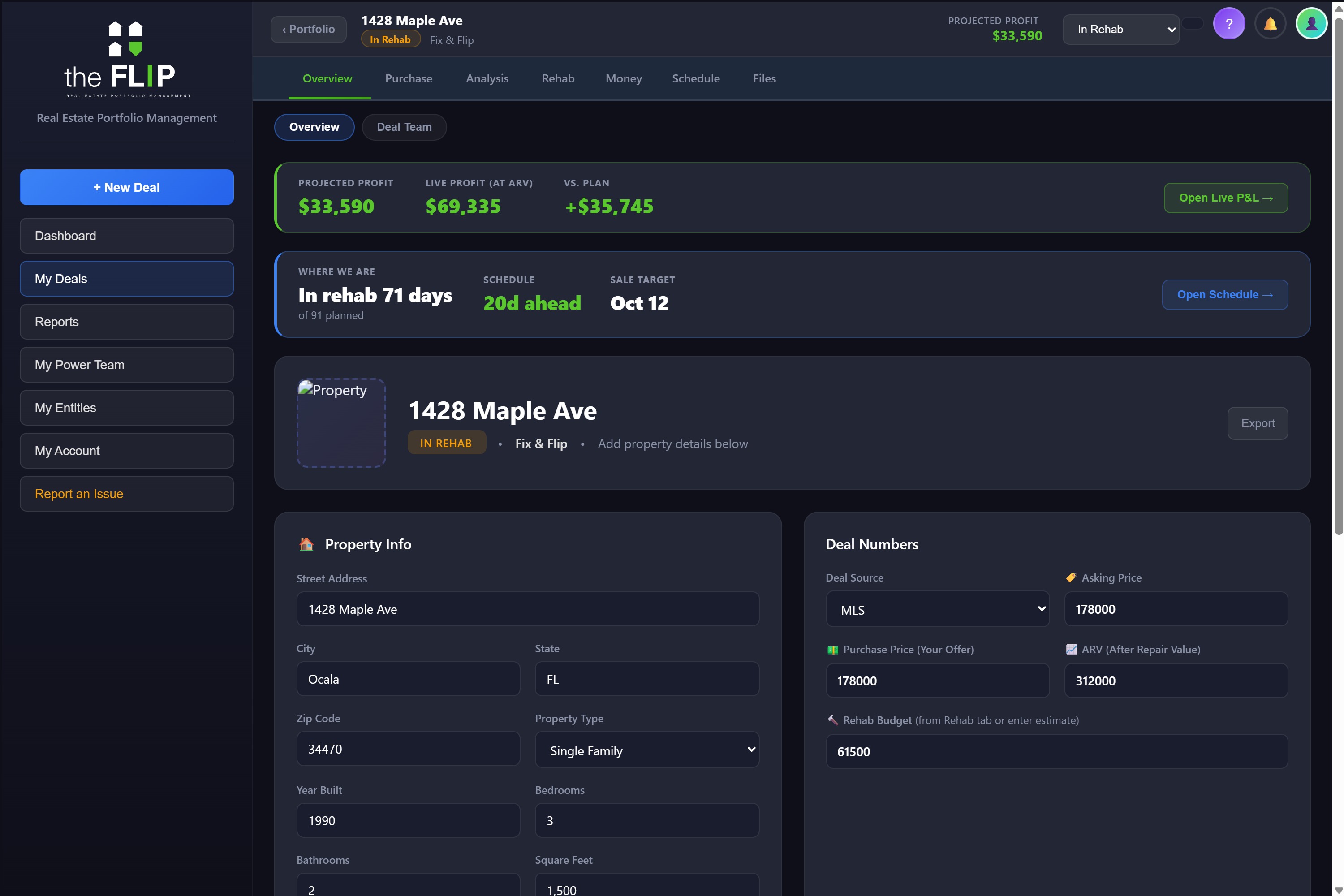
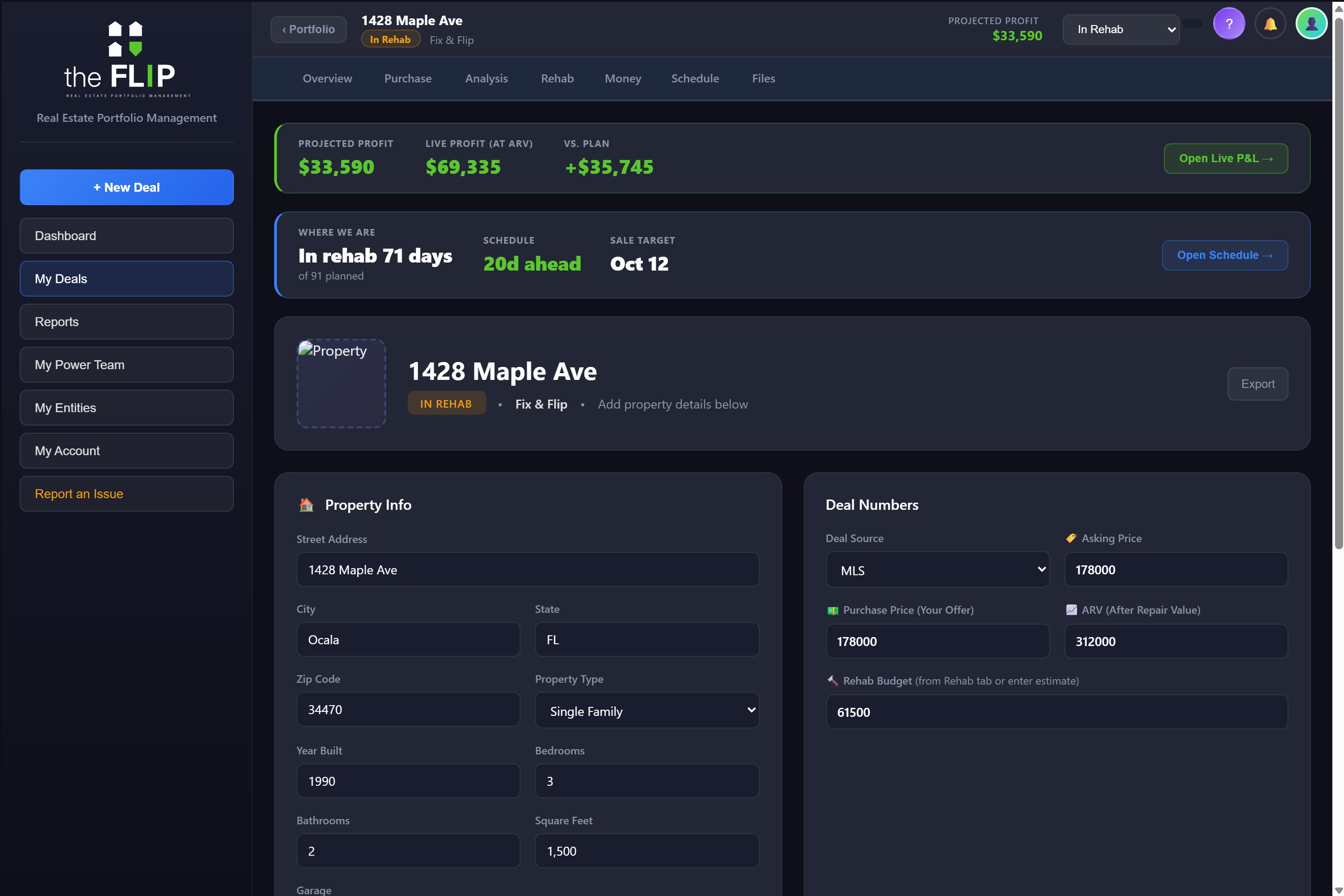
A deal header showing projected profit, live profit, variance versus plan, and a schedule strip with days ahead of plan and a sale target date.
Rehab

Every rehab dollar lands on a budget line, or it doesn't move

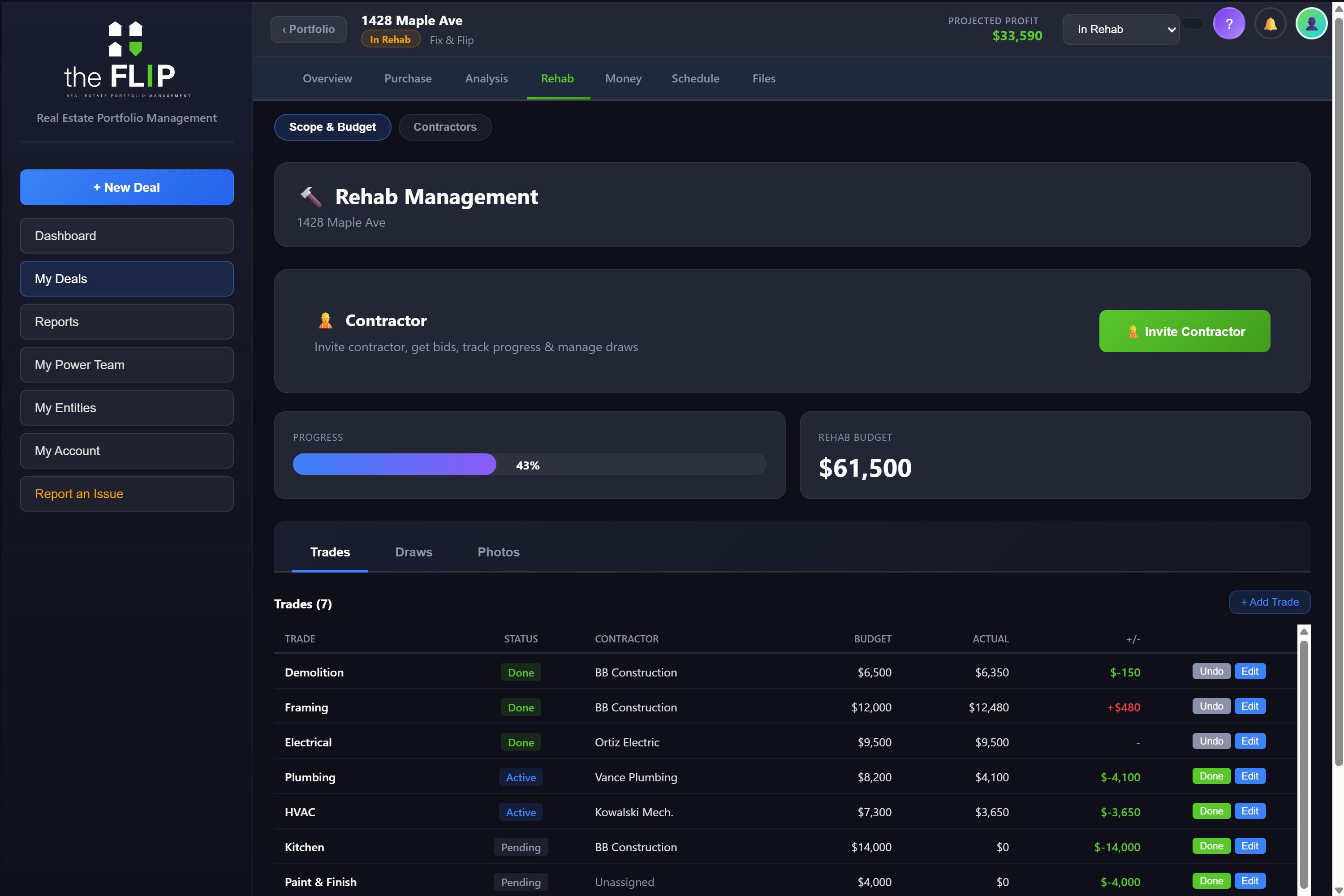
21 trades come built in, each with a budget, an actual, and the variance between them. This is the part most tools get loose about: in theFLIP a draw cannot exist without being assigned to specific trades. No floating "misc" money, no line that quietly goes over while another sits untouched.

  • Budget, actual, and variance on every trade, with the total at the bottom
  • Draws are split across specific lines and capped at what each line has left
  • Change orders need your approval before they change the budget
  • Manual entries you type stay put — a contractor sync will never overwrite them
Budget on Free · Draws on Solo
Rehab management screen with a progress bar, total rehab budget, and a trades table listing budget, actual, and variance for Demo, Framing, Electrical, Plumbing, Drywall and Kitchen.
Your crew

Your contractor gets a login, not another group text

Contractors work in their own app. They request a draw against the trades they're actually doing, attach photos and receipts, and mark progress. You approve or deny. Whether you run one general contractor or hire every trade separately, each one only ever sees their own work.

  • Draw requests tied to specific trades, capped at the remaining budget on each
  • Photos and receipts attach to the request, so approving isn't an act of faith
  • Change orders submitted for your approval instead of appearing in an invoice later
  • Four draw states — pending, approved, paid, and reimbursed for hard-money reimbursements
  • Hiring trades separately works. Each contractor bids only their lines and sees only those
Contractor portal on Solo · contractors are always free
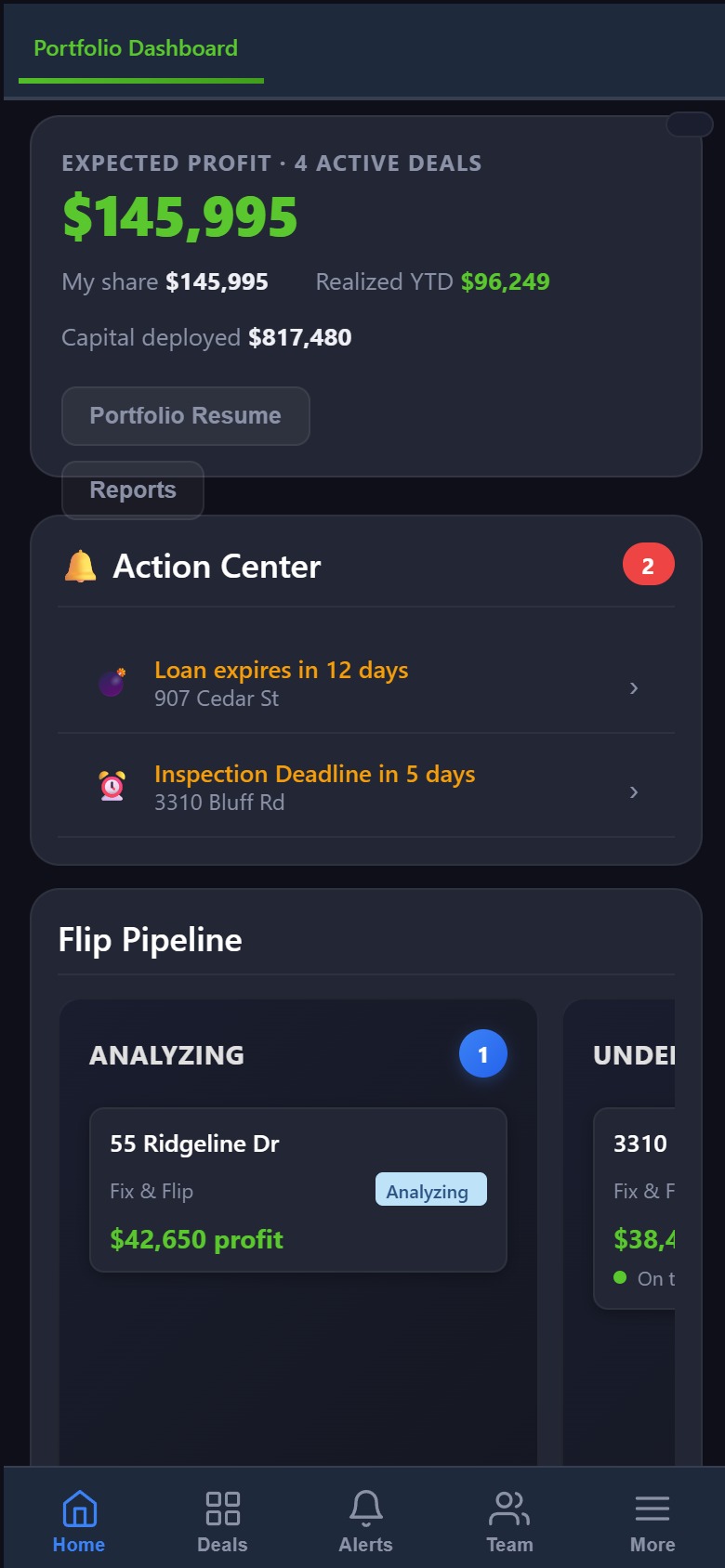
theFLIP running on a phone, showing expected profit, an action center of contractor draw requests, and a bottom navigation bar.
Money

One ledger instead of three you have to reconcile

Contractor draws, direct payments, and loan interest land in a single dated list per deal. Pending draws show but don't count against you until the money actually moves, so the number at the top is what you've really spent — not what somebody has asked for.

  • One spending ledger — draws, payments, holding costs, and loan interest together
  • Projected versus live profit, with the variance called out
  • Funding side tracks the loan, draws to your lender, and partner capital
  • AI receipt scanning — drop a receipt in, it reads the vendor, amount, and category
Included on Solo
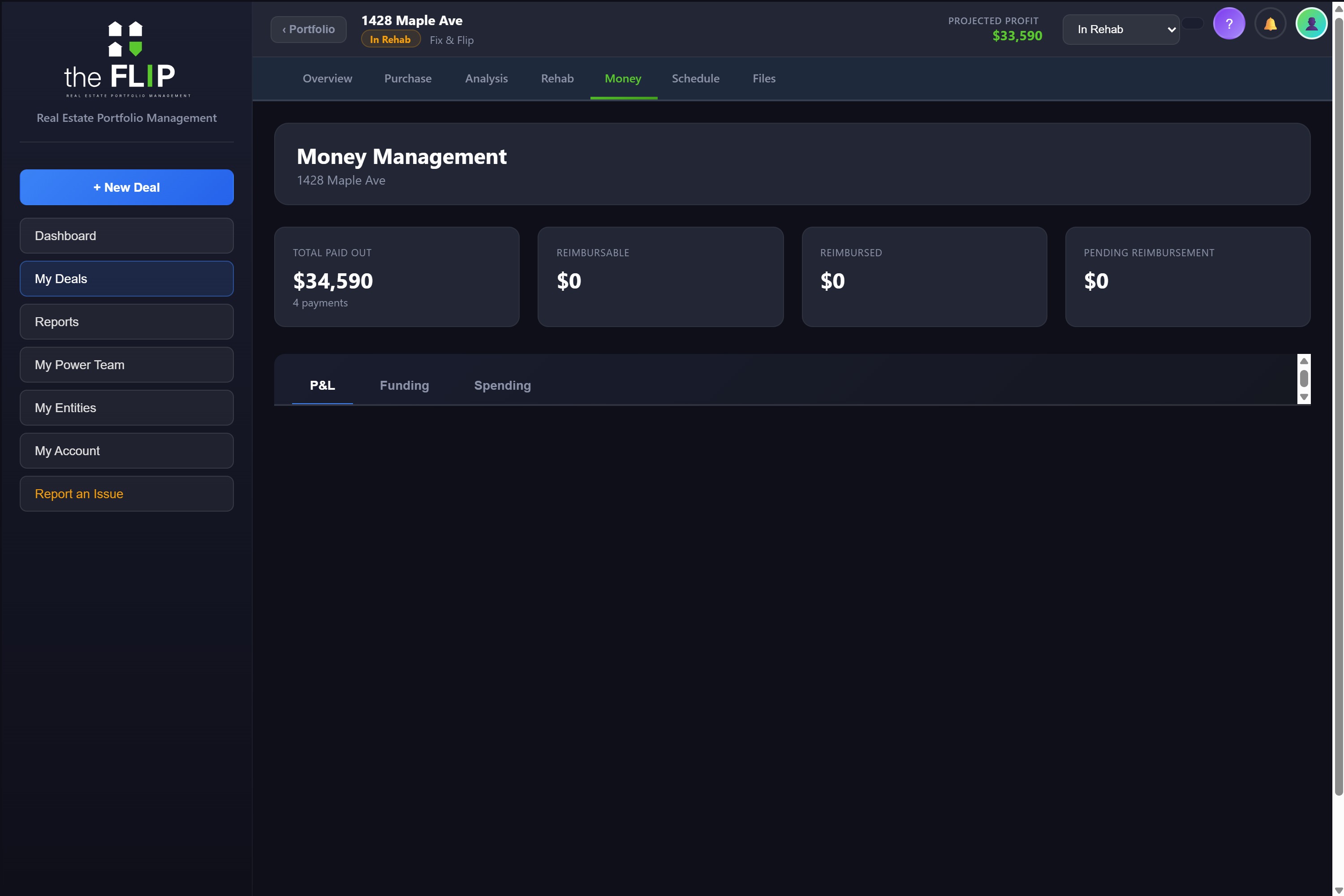
Money management screen showing total paid out and reimbursable totals above a merged spending ledger with contractor draws, a Home Depot receipt, insurance, and a loan interest payment.
Time

Days cost money, so days get tracked like money

Set the plan once — rehab length, expected days on market, escrow — and theFLIP measures the real deal against it. It knows when you actually started rehab and when you actually listed, because it recorded the moment you moved the deal.

  • Where you are right now: "in rehab 68 days of 91 planned"
  • Ahead or behind, in days, on the deal card and the dashboard both
  • A loan maturity marker on the timeline, and a warning when it's close and you haven't sold
  • Milestones table comparing planned against actual, with the variance on each
Included on Free
Schedule tab showing 'In rehab 68 days of 91 planned', 23 days ahead, 200 days left on the loan, a phase timeline with today and loan-deadline markers, and a milestones table.
Partners & Paperwork

The documents nobody wants to build by hand

All three are generated from data the app already has, so they can't disagree with your own numbers.

JV

JV partners and waterfalls

Define capital splits, preferred returns, and the profit distribution, and theFLIP works out who gets what. Partners get read-only access plus a report link that refreshes every time you save — so it's never out of date and you never rebuild it.

Included on Pro
L

Lender draw packages

A schedule of values per trade — budget, previous draws, this draw, total drawn, percent complete, and balance — plus cost to complete, a signature block, and the receipts and photos attached. One tap, per draw.

Included on Pro
CPA

CPA year-end package

Full P&L on every deal sold that year, capitalized costs to date on deals still open with this year split from prior years, the transaction ledger as a CSV, and a contractor 1099 roll-up flagging anyone over $600.

Included on Pro
Access

Four kinds of people, four kinds of access

Nobody but you pays, and nobody sees more than their job needs.

You

Everything. Every deal, every number, every setting.

Contractors — free

Their own app, their own trades, their own draws. They cannot see your profit, your other deals, or another contractor's work.

JV partners — free

Read-only on the deals they're in, plus a live report link. They can look; they can't edit.

Bookkeeper — free

The money across your deals, and nothing else.

Run one real deal through it

The free plan holds three deals and doesn't ask for a card. Put a live one in and see whether the numbers match what's in your head.

Get Started Free